Showing posts with label news. Show all posts

This Page Has Moved. Register at tonymacx86.com Today!

This blog is now a permanent archive of our previous content. We're doing all of our new writing at tonymacx86.com. Register today! 

-tonymacx86 & MacMan

Yay! The New Site is Alive! Re-Activate Your Account Today!


After a year of development, the day is finally here- we've updated the entire website. It's a brand new tonymacx86.com designed by our team and powered by vBulletin. There are a ton of amazing new user features we'll be rolling out gradually, literally too many to list. 

The site has been completely redesigned! As part of the re-activation process, all users are required to reset their password. Follow this link and enter your email address, and you will be emailed directions to reset your password. If that link doesn't work, go to the forum homepage and reset your password manually.

Going forward we'll be writing articles and blogging directly on the new site, and as a new launch feature we'll start promoting great user threads to articles. This way every user will be able to write for the community- your custom build could end up on the front page of the site! 

Hope you like it as much as we do! If you need anything, the old site is herePlease bear with us if there are a few things that don't work quite the same way yet. We're working on it as hard as we can. 

-tonymacx86 & MacMan
For discussions on this and other topics, register today at tonymacx86.com!

New and Improved tonymacx86.com - Launching This Sunday!


Off and on over the past year or so, we've been collaborating, designing, testing and setting up a new more modern website and forum. We're happy to announce that the resulting new tonymacx86.com will be launching this Sunday!

We will be importing all current forums, posts, and users and shouldn't be going offline at all during the transition. However, the existing forum will be read-only for 7-8 hours.

More information is on the way! We really can't wait!

-tonymacx86 & MacMan
Edit: Not long now... the old board is available at legacy.tonymacx86.com.
For discussions on this and other topics, register today at tonymacx86.com!

Get Ready for OS X Mountain Lion


This week Apple released a GM (Golden Master) Seed of OS X 10.8 Mountain Lion to Mac developers. Current rumors have the official launch date on or about July 25th. We thought we'd run down a list of recommended tasks so you can be ready once it's available. Could be any day now!

Necessary for Mountain Lion Update 
Apple has provided a concise rundown of how to update to Mountain Lion on day one here. The system requirements are the same for CustoMac Builds. To proceed with a retail installation, you absolutely need the following.
  • Intel Core 2 or above, 64 bit CPU
  • A computer running the latest version of Mac OS X Lion (10.7.x) or Snow Leopard (10.6.6+)
  • Mac App Store Account + $19.99
  • Internet access to download the 4 GB Mountain Lion Install App through Mac App Store
  • 4 GB free hard drive space available in /Applications
However, this time around there is a big change, as Mountain Lion is a 64-bit only Operating System. This means that there is no support for 32-bit only CPUs or 32-bit kexts. You will not be able to use the "arch=i386" boot flag to access 32-bit kernel and kexts mode. Some legacy 3rd party audio and wifi drivers may not work, and many older graphics drivers have been eliminated. If you want to check that you're currently using 64-bit kexts, this information can be viewed in System Profiler. Click on the Apple > About this Mac > More Info > System Info, click on Software. If the 64-bit Kernel and Extensions says Yes, you are clear to update. 


Recommended Best Practices
When performing any full operating system upgrade, unexpected things can occur. To avoid data loss, these best practices should be adhered to. This upgrade should be a breeze, but if things do go wrong, you can always go back to your working Lion installation.
  • Back Up All of Your Data
  • Buy a Second Hard Drive
  • Buy a Second 8 GB USB Drive
  • Clone your Working Hard Drive using Carbon Copy Cloner or SuperDuper
Stay tuned for our full OS X Mountain Lion retail installation and upgrade guide- coming day one!

-tonymacx86 & MacMan

For discussions on this and other topics, register today at tonymacx86.com!

New CustoMac Buyer's Guide 2012 Coming Soon

Since the introduction of Ivy Bridge Macs last week, we've been getting lots of requests to update our CustoMac Recommended Builds and Buyer's Guide. Have no fear- it's coming soon! We're holding off on recommending specific Ivy Bridge rigs until the support is truly native and in the general release of the operating system. This will make things much easier for everyone- especially first time builders. Keep in mind that although Ivy Bridge support is in the builds of the new Macs, it could be weeks before it's actually hassle-free to install on these rigs. We also think that there are some really exciting new boards coming out very soon incorporating Thunderbolt.

If you have an itchy trigger finger, check out some awesome new builds in the Golden Builds section and the User Builds section of the forum. We also posted a few or our early Ivy Bridge CPU and motherboard recommendations here.

-tonymacx86 & MacMan

Related Posts: 
tonymacx86 Build - GA-Z77-DS3H - Core i7-3770 - GTX 550 Ti [Ivy Bridge]
MacMan Build - GA-X79-UD5 - Core i7-3820 - GTX 560 Ti [Socket 2011]
Building a Sandy Bridge CustoMac: Buyer's Guide
BridgeHelper 5.0: Native Ivy Bridge Kernel & Power Management, USB 3.0, and Intel HD 4000
Apple Reveals 2012 Mac Laptops: How This Helps Us
UniBeast.com   MultiBeast.com   CustoMac.com
For discussions on this and other topics, register today at tonymacx86.com!

BridgeHelper 5.0: Native Ivy Bridge Kernel & Power Management, USB 3.0, and Intel HD 4000

This week Apple refreshed Mac laptops with Intel's new Ivy Bridge CPUs. Support isn't native yet, however much of the functionality is now available to us via an official MacBook Pro (Mid 2012) Software Update.

The process of manually extracting kernels and drivers isn't for everyone, so we put together a new BridgeHelper installer to do all of the heavy lifting. Simply install BridgeHelper 5.0 on on an existing 10.7.4 Lion installation to gain:
  • Native Kernel
  • Native CPU Power Management 
    • Speedstep and sleep working 
    • Will remove NullCPUPowerManagement if found
  • Intel HD 4000 graphics drivers for testing
    • Not functional yet- no QE/CI
  • Chipset support for Intel 7 Series USB 3.0
  • Patched chipset support for Intel 7 Series AHCI
NOTE: If you have a non-Gigabyte motherboard, you may need to install NullCPUPowerManagement.kext again before rebooting.

The installer is now available at tonymacx86.com/downloads. Good luck and have fun!

-tonymacx86 & MacMan

Related Posts:
Chimera 1.10 Update: Ivy Bridge HD 4000 Onboard Graphics Support
For discussions on this and other topics, register today at tonymacx86.com!

Apple Reveals 2012 Mac Laptops: How This Helps Us

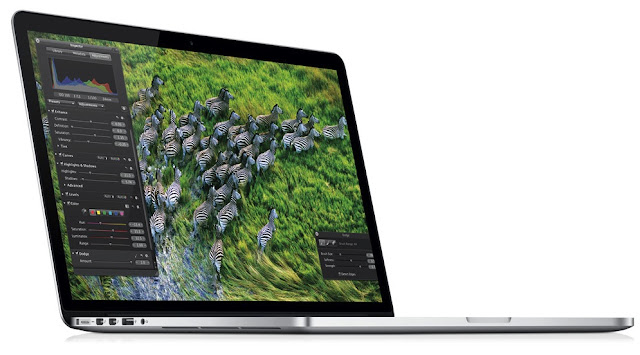
Today at WWDC, Apple unveiled it's next generation MacBook Pro with it's 2880x1800 resolution "Retina" display. They also bumped all of the current MacBook Air and Pro models to Intel's new Ivy Bridge CPUs. This news is not only exciting for people in need of a new Mac, but also for speculative custom computer builders. The changes represent some of the most ever in one day, and will eventually add a lot of new features and functionality to Mac OS X.

How This Helps Us:
  • Intel's new Ivy Bridge Socket 1155 CPU Support
    • Native Kernel and Power Management
    • Intel HD 4000 Integrated Graphics (60% faster than HD 3000)
  • NVIDIA GeForce 6xx Support
    • Specific device ids TBD
  • Intel USB 3.0 Support
    • Native Ivy Bridge USB 3.0
    • 3rd party chipset support is unknown.
For the next few weeks, all of this will most likely be included only in special hardware specific builds of 10.7.4, and will be unavailable to us. When 10.8 Mountain Lion is officially released in July, the support will be native.
UPDATE: Apple has released an official Mac OS X Lion 10.7.4 MacBook Pro (Mid 2012) Software Update 1.0. This download delivers initial support for Ivy Bridge CPUs, USB3, NVIDIA GeForce Kepler GPUs, and HD 4000 integrated graphics. More info to come. Testing is underway.

-tonymacx86 & MacMan

Related Posts:
For discussions on this and other topics, register today at tonymacx86.com!

DSDT Database Update: Gigabyte H67 Motherboards

We're happy to announce another major update for Gigabyte Socket 1155 motherboards is in progress. As part of these updated DSDTs MacMan has included enhanced USB fixes, eliminating USB wake from sleep issues. These new devices fully implement the Rate Matching Hub definitions and Apple specific parameters. For this round, the following DSDTs have been extracted from BIOS, edited using the using minimal edits, and added to the DSDT Database.
  • Gigabyte GA-H61N-USB3 F4
  • Gigabyte GA-H61N-USB3 F5
  • Gigabyte GA-H61N-USB3 F7
  • Gigabyte GA-H61N-USB3 F8
  • Gigabyte GA-H67A-D3H-B3 F6
  • Gigabyte GA-H67A-D3H-B3 F7
  • Gigabyte GA-H67A-USB3-B3 F6
  • Gigabyte GA-H67A-USB3-B3 F7
  • Gigabyte GA-H67MA-D2H-B3-1.0 F5
  • Gigabyte GA-H67MA-D2H-B3-1.0 F6
  • Gigabyte GA-H67MA-D2H-B3-1.1 F5
  • Gigabyte GA-H67MA-D2H-B3-1.1 F6
  • Gigabyte GA-H67MA-UD2H-B3 F7
  • Gigabyte GA-H67MA-UD2H-B3 F8
  • Gigabyte GA-H67MA-USB3-B3 F5
  • Gigabyte GA-H67MA-USB3-B3 F6
  • Gigabyte GA-H67MA-USB3-B3 F8
  • Gigabyte GA-H67N-USB3-B3 F8
  • Gigabyte GA-H67N-USB3-B3 F9
  • Gigabyte GA-PH67-DS3-B3 F4
  • Gigabyte GA-PH67-DS3-B3 F5
  • Gigabyte GA-PH67-UD3-B3 F7
  • Gigabyte GA-PH67-UD3-B3 F8
  • Gigabyte GA-PH67A-UD3-B3 F8
  • Gigabyte GA-PH67A-UD3-B3 F9
NOTE: All DSDTs are verified extracts from the latest BIOS versions.

To use on an existing system, download and replace your /Extra/DSDT.aml. For a fresh install, instructions on MultiBeast's UserDSDT are available here. Be sure to only use the matching DSDT for your motherboard and BIOS version. 

-tonymacx86 & MacMan

DSDT Database Update: Gigabyte Z68 Motherboards

We're happy to announce another major update for Gigabyte Socket 1155 motherboards is in progress. As part of these updated DSDTs MacMan has included enhanced USB fixes, eliminating USB wake from sleep issues. These new devices fully implement the Rate Matching Hub definitions and Apple specific parameters. For the first round, the following DSDTs have been extracted from BIOS, edited using the using minimal edits, and added to the DSDT Database.
  • Gigabyte GA-Z68A-D3-B3 F10
  • Gigabyte GA-Z68A-D3-B3 F11
  • Gigabyte GA-Z68A-D3H-B3 F12
  • Gigabyte GA-Z68A-D3H-B3 F13
  • Gigabyte GA-Z68AP-D3-2.x FC
  • Gigabyte GA-Z68AP-D3-2.x FD
  • Gigabyte GA-Z68AP-D3 F7
  • Gigabyte GA-Z68AP-D3 F8
  • Gigabyte GA-Z68M-D2H F6
  • Gigabyte GA-Z68MA-D2H-B3 F10
  • Gigabyte GA-Z68MX-UD2H-B3 F13
  • Gigabyte GA-Z68P-DS3-2.x FD
  • Gigabyte GA-Z68P-DS3-2.x FE
  • Gigabyte GA-Z68P-DS3 F8
  • Gigabyte GA-Z68P-DS3 F9
  • Gigabyte GA-Z68X-UD3-B3 F12
  • Gigabyte GA-Z68X-UD3-B3 F13
  • Gigabyte GA-Z68X-UD3H-B3 F11
  • Gigabyte GA-Z68X-UD3H-B3 F12
  • Gigabyte GA-Z68X-UD3P-B3 F8
  • Gigabyte GA-Z68X-UD3R-B3 F7
  • Gigabyte GA-Z68X-UD4-B3 F10
  • Gigabyte GA-Z68X-UD5-B3 F10
  • Gigabyte GA-Z68X-UD7-B3 F10
  • Gigabyte GA-Z68XP-D3 F8
  • Gigabyte GA-Z68XP-D3 F9
  • Gigabyte GA-Z68XP-UD3 F9
  • Gigabyte GA-Z68XP-UD3 F10
  • Gigabyte GA-Z68XP-UD3-iSSD F9
  • Gigabyte GA-Z68XP-UD3-iSSD F10
  • Gigabyte GA-Z68XP-UD3P F7
  • Gigabyte GA-Z68XP-UD3R F6
  • Gigabyte GA-Z68XP-UD4 F6
  • Gigabyte GA-Z68XP-UD5 F6
NOTE: All DSDTs are verified extracts from the latest BIOS versions.

To use on an existing system, download and replace your /Extra/DSDT.aml. For a fresh install, instructions on MultiBeast's UserDSDT are available here. Be sure to only use the matching DSDT for your motherboard and BIOS version. 

-tonymacx86 & MacMan

SSDT Editing Guide and Subforum


A few days ago, we released a new MultiBeast featuring SSDT files for Sandy Bridge CPUs. To assist with further SSDT editing and customizing, MacMan has written a guide at his blog called Customizing SSDT: Power Management Optimization on 10.7.4. The guide documents what you need to know about the SSDT so you can optimize your Socket 1155 CPU for an overclock greater then the 4.2 GHz supported in MultiBeast.

Good luck! And share your custom SSDTs and results at the new SSDT subforum.

For discussions on this and other topics, register today at tonymacx86.com!

SR Tools: Kext Management, Undo, & Version Control

One of our moderators StingRay, usually found in the chat, has started to put together a Mac OS X Toolkit called SR Tools. The first item to be available is Kext Tools which allows installs and most importantly undo and rollback. We're excited to announce it's ready for public use.

What is it?
Well thats easy, it's a kernel extensions (kext) installer and manager with the ability to undo/rollback from the gui or using single user mode boot and running a single dynamic script! The script is "./SRTrestorelast"

What does it do?
Well for those of us that play, install, change and optimize lots, I wanted the ability to simply undo and still undo in the event of a non-boot problem. So basically it should save people from messing around for hours and re-installing.

What is history/action?
Well, everytime you install a kext, disable and existing one, enable one or simply remove one or many from /System/Library/Extensions this is classed as an action. This tool will log and save those actions for easy rollback/undo if you happen to make mistakes (like me)!

How many actions will it save?
Well that number is unlimited, but there are ways to optimize the actions/history list so that you're not looking at all the actions you EVER did!


StingRay has asked that the community contribute their ideas for the next version. For all feedback, bug reports, and general comments, please use this thread in the tonymacx86 Forum. And don't forget to thank him personally in the tonymacx86 Chat.
For discussions on this and other topics, register today at tonymacx86.com!

10.7.4 Power Management and Sandy Bridge CPUs

It's been a week since the 10.7.4 update, and an issue has cropped up with Core i5 and i7 Sandy Bridge CPUs. As part of this release, Apple updated the power management drivers. These new drivers are effecting performance, as some CPUs are stuck at a 16x multiplier, thus limiting them to a maximum clock speed of 1.6 GHz. When we discovered the issue, we released a temporary workaround on the tonymacx86.com forum while working on a permanent solution. We are now happy to announce our permanent solution.

SpeedStep is a trademark for a series of dynamic frequency scaling technologies built into some Intel microprocessors that allow the clock speed of the processor oto be dynamically changed (to different P-states) by software. This allows the processor to meet the instantaneous performance needs of the operation being performed, while minimizing power draw and heat dissipation. Enhanced Intel SpeedStep is sometimes abbreviated as EIST.
Source: Wikipedia

The Secondary System Description Table or SSDT is a continuation of the Differentiated System Description Table, or DSDT, allowing the the motherboard manufacturer or OEM to provide the base support in one table (DSDT) and add smaller system options in other tables (SSDT). As such they use the SSDT to provide speed stepping and power configuration.

The Chimera bootloader will either read the SSDT from the motherboard's BIOS/UEFI, use the SSDTs generated by boot keys provided by the MultiBeast UserDSDT boot.plist, or a user provided SSDT. As part of the 10.7.4 update, some Sandy Bridge Socket 1155 i5/i7 CPUs have issues with the BIOS/UEFI SSDT and need a properly edited one to override its configuration. NOTE: Core i3 and i5-2400 CPUs are known to work properly with the BIOS/UEFI SSDT, and don't need this fix.

In order to make optimization easy for the average user, we've prepared 3 SSDT files, included in MultiBeast 4.5.0. The first is for Core i5 systems running at stock speeds. The next is for Core i7 systems also running at stock speeds. The final one is for over clocked Core i5 or Core i7 systems. The specific SSDT.aml file installs into the /Extra folder and will initiate SpeedStep properly in 10.7.4. One of these optimized SSDTs are recommended for users of the following CPUs: i5-2500, i5-2500K, i5-2550K, i7-2600, i7-2600K, i7-2700K.
After installing one of these SSDTs you can verify that SpeedStep is working on Sandy Bridge CPUs by installing Project OS X's new FakeSMC, FakeSMC Plugins, and HWMonitor app, available in the latest MultiBeast. After installation of these files, launch HWMonitor and click the live cpu Frequencies and Multiplier to view in the menubar as shown below. Keep in mind that Turbo frequencies will not appear.


Special thanks to Greggen and everyone in the community for sharing their knowledge- testing and editing SSDTs in the past week. We're interested in any feedback using these new tools. Please add your comments and results in this thread and in the brand new SSDT subforum.

For discussions on this and other topics, register today at tonymacx86.com!

Mac OS X 10.7.4 Update

Today Apple released Mac OS X 10.7.4 the fourth major update to Mac OS X Lion. To eliminate any potential issues, we generally recommend to update any supported systems using the standalone Combo installer, and not the built-in Software Update.


Be sure to back up any important data, and if possible clone your hard drive before applying the update.  If you have any issues post-update, boot using UniBeast or rBoot.


What we know about 10.7.4 so far...

  • 11.4.0 Darwin kernel
  • Improved AMD, Intel, and NVIDIA graphics drivers.
    • If you use customized or edited graphics kexts, it will be necessary to make the edits again using the new drivers as a base. 
    • If you use Combo OpenCL Enabler, reapply it before reboot
  • The update will replace your AppleHDA.kext. 
    • If you use ALC8xxHDA for onboard audio, you will have to reinstall AppleHDA Rollback using MultiBeast before rebooting. 
    • If you use toleda's AppleHDA for onboard audio, you will have to reinstall the Patched AppleHDA using MultiBeast before rebooting. 
    • If you use VoodooHDA, you will not need to make any modifications.
  • If you use Sleepenabler.kext, remove before updating.
  • If you use SpeedStepper for UEFI motherboards, do not update yet- there is a new speedstepper script coming soon. 
    • Install patched AppleIntelCPUPowerManagement.kext for 10.7.4 from MultiBeast before reboot. 
    For discussions on this and other topics, register today at tonymacx86.com!

    Intel's New Ivy Bridge Socket 1155 CPUs and 7-Series Motherboards Now Available


    This past week Intel unveiled and released it's new Ivy Bridge CPUs. These CPUs are compatible with any of the available Socket 1155 motherboards- including Sandy Bridge ones! So users with existing Sandy Bridge compatible H61, H67 and Z68 motherboards have the option to upgrade to new Ivy Bridge CPUs.

    Ivy Bridge feature improvements over Sandy Bridge include:
    • Tri-gate transistor technology (less than 50% power consumption at the same performance level as 2-D planar transistors).
    • PCI Express 3.0 support.
    • Max CPU multiplier of 63 (57 for Sandy Bridge).
    • RAM support up to 2800 MT/s in 200 MHz increments.
    • Intel HD Graphics 2500/4000 with DirectX 11, OpenGL 3.1, and OpenCL 1.1 support.
    • The built-in GPU is believed to have up to 16 execution units (EUs), compared to Sandy Bridge's maximum of 12.
    • A new random number generator and the RdRand instruction, codenamed Bull Mountain.
    • Intel Quick Sync Video.
    • DDR3L low voltage for mobile processors.
    • Multiple 4K video playback.                                                      Source: Wikipedia

    Recommended Ivy Bridge CPUs
    We recommend Ivy Bridge Socket 1155 CPUs featuring Intel HD 4000 integrated graphics. Other available CPUs not listed here have lower quality HD 2500 graphics.

    Intel
    Core i7-3770K
    3.5 Ghz
    4 Cores / 8 Threads
    Unlocked for Overclocking
    8MB L3 Cache
    Amazon  Newegg 
    Intel
    Core i7-3770
    3.4 Ghz
    4 Cores / 8 Threads
    8MB L3 Cache
    Amazon  Newegg
    Intel
    Core i7-3770S
    3.1 Ghz
    4 Cores / 8 Threads
    65w Lower Power
    8MB L3 Cache
     Amazon  Newegg
    Intel
    Core i5-3570K
    3.4 Ghz
    4 Cores / 4 Threads
    Unlocked for Overclocking
    6MB L3 Cache
    Amazon  Newegg

    Recommended 7-Series Motherboards
    We recommend these Gigabyte 7-Series motherboards based on their compatible audio and ethernet. Gigabyte UEFI motherboards also have an exclusive new feature of working with sleep/wake without a DSDT.

    Gigabyte
    GA-Z77X-UD5H
    Realtek ALC898 Audio
    Atheros/Intel Dual Ethernet
    DVI-D, DisplayPort, VGA, HDMI
    Amazon  Newegg
    Gigabyte
    GA-Z77-DS3H
    Realtek ALC887 Audio
    Atheros Ethernet
    DVI-D, VGA, HDMI
    Amazon  Newegg
    Gigabyte
    GA-H77-DS3H
    Realtek ALC887 Audio
    Atheros Ethernet
    DVI-D, VGA, HDMI
    Amazon  Newegg
    Gigabyte
    GA-B75M-D3P
    Realtek ALC887 Audio
    Realtek Ethernet
    DVI-D, VGA, HDMI
    Amazon  Newegg

    Other major manufacturers such as ASUS, ASRock, and MSI also have compatible audio and ethernet, but could have Power Management problems with locked MSR in their UEFI. View a list of some of these non-Gigabyte motherboard recommendations here.

    PLEASE NOTE:  Ivy Bridge CPUs and chipsets are not currently supported natively by Mac OS X. We can't recommend Ivy Bridge systems yet, as there is no official support. Hence, please don't view this as buying advice. We don't recommend using a patched kernel for the long-term. The vanilla kernel is a much more desirable solution for a stable system.

    Can't wait to hear your experiences with these new CPUs and motherboards. Have fun!

      For discussions on this and other topics, register today at tonymacx86.com!

      UniBeast 1.2 Update


      Today UniBeast has been updated to 1.2. The latest version is available for download at tonymacx86.com/downloads.

      Please do not upload or redistribute UniBeast to any other sites.  

      Full list of changes:
      • Updated Chimera to v1.9.1
      If this utility has helped you, please consider a contribution to support further UniBeast development.  Thanks in advance, and enjoy!
      UniBeast: Install Mac OS X Lion Using an All-In-One Bootable USB Drive
      For discussions on this and other topics, register today at tonymacx86.com!

      iBoot 3.3 Update


      iBoot has been updated to 3.3. As always, this boot CD facilitates the direct retail installation of Mac OS X 10.6.x Snow Leopard via iBoot + MultiBeast. Pick up the latest version at tonymacx86.com/downloads
      • Updated bootloader to Chimera v1.9.1
      • For 10.6.x Snow Leopard only
        Please do not upload or redistribute iBoot to any other sites.  

        If this utility has helped you, please consider a contribution to support further iBoot development.  Thanks in advance, and enjoy!

        For discussions on this and other topics, register today at tonymacx86.com!

        Exclusive: Intel's Unreleased Ivy Bridge Core i7-3770K Running Mac OS X Lion

        Well it's official- Mac OS X Lion runs great on Intel's upcoming Ivy Bridge platform. Here's a few screenshots of the Core i7-3770K running at stock 3.5GHz on a Z77 motherboard submitted to us via an anonymous tip:

         
        Because there are no Macs yet with Ivy Bridge, the tipster had to use a modified kernel to boot. We can't wait to test out these chips to see what else they can do. Intel's official release date for Core i7 and Core i5 desktop CPUs is April 29th. Check out the Hardware News and Rumors section of the forum for more information on upcoming products. 
        For discussions on this and other topics, register today at tonymacx86.com!