Mac OS X 10.7.4 Update

Today Apple released Mac OS X 10.7.4 the fourth major update to Mac OS X Lion. To eliminate any potential issues, we generally recommend to update any supported systems using the standalone Combo installer, and not the built-in Software Update.


Be sure to back up any important data, and if possible clone your hard drive before applying the update.  If you have any issues post-update, boot using UniBeast or rBoot.


What we know about 10.7.4 so far...

  • 11.4.0 Darwin kernel
  • Improved AMD, Intel, and NVIDIA graphics drivers.
    • If you use customized or edited graphics kexts, it will be necessary to make the edits again using the new drivers as a base. 
    • If you use Combo OpenCL Enabler, reapply it before reboot
  • The update will replace your AppleHDA.kext. 
    • If you use ALC8xxHDA for onboard audio, you will have to reinstall AppleHDA Rollback using MultiBeast before rebooting. 
    • If you use toleda's AppleHDA for onboard audio, you will have to reinstall the Patched AppleHDA using MultiBeast before rebooting. 
    • If you use VoodooHDA, you will not need to make any modifications.
  • If you use Sleepenabler.kext, remove before updating.
  • If you use SpeedStepper for UEFI motherboards, do not update yet- there is a new speedstepper script coming soon. 
    • Install patched AppleIntelCPUPowerManagement.kext for 10.7.4 from MultiBeast before reboot. 
    For discussions on this and other topics, register today at tonymacx86.com!

    MultiBeast 4.4 Update

    Today MultiBeast was updated to version 4.4 for Lion. The latest version of MultiBeast is now available at tonymacx86.com/downloads.

    Please do not upload or redistribute MultiBeast to any other sites. 

    What's new in MultiBeast 4.4:
    • Added toleda's patched AppleHDA's to Drivers & Bootloaders -> Kexts & Enablers -> Audio -> Realtek ALC8xx -> Patched AppleHDA
    • Added ALC898 to Drivers & Bootloaders -> Kexts & Enablers -> Audio -> Realtek ALC8xx -> Non-DSDT HDAEnabler.
    • Added HWMonitor Application to Drivers & Bootloaders -> Kexts & Enablers -> Miscellaneous -> FakeSMC Plugins.
    • Updated Chimera to v1.9.2
    • Updated ALC8xxHDA to v2.0.1
    • Updated FakeSMC to v4.2 rev609
    • Updated FakeSMC Plugins to v4.2 rev609+
      • + designates MacMan's addition of Ivy Bridge CPU detection to this source.
    • Updated hnak's AppleIntelE1000e Ethernet to v1.9.5 and changed install location to /System/Library/Extensions/IONetworkingFamily.kext/Contents/PlugIns.
    Special thanks to the Project OS X Team for their continued development of FakeSMC and FakeSMC Plugins, and mozo and Navi for the new HWMonitor App.

    If you have Bug Reports or Feature Requests, please let us know in the MultiBeast section of the forum.

    -tonymacx86 & MacMan

    Related Posts:
    For discussions on this and other topics, register today at tonymacx86.com!

    Intel's New Ivy Bridge Socket 1155 CPUs and 7-Series Motherboards Now Available


    This past week Intel unveiled and released it's new Ivy Bridge CPUs. These CPUs are compatible with any of the available Socket 1155 motherboards- including Sandy Bridge ones! So users with existing Sandy Bridge compatible H61, H67 and Z68 motherboards have the option to upgrade to new Ivy Bridge CPUs.

    Ivy Bridge feature improvements over Sandy Bridge include:
    • Tri-gate transistor technology (less than 50% power consumption at the same performance level as 2-D planar transistors).
    • PCI Express 3.0 support.
    • Max CPU multiplier of 63 (57 for Sandy Bridge).
    • RAM support up to 2800 MT/s in 200 MHz increments.
    • Intel HD Graphics 2500/4000 with DirectX 11, OpenGL 3.1, and OpenCL 1.1 support.
    • The built-in GPU is believed to have up to 16 execution units (EUs), compared to Sandy Bridge's maximum of 12.
    • A new random number generator and the RdRand instruction, codenamed Bull Mountain.
    • Intel Quick Sync Video.
    • DDR3L low voltage for mobile processors.
    • Multiple 4K video playback.                                                      Source: Wikipedia

    Recommended Ivy Bridge CPUs
    We recommend Ivy Bridge Socket 1155 CPUs featuring Intel HD 4000 integrated graphics. Other available CPUs not listed here have lower quality HD 2500 graphics.

    Intel
    Core i7-3770K
    3.5 Ghz
    4 Cores / 8 Threads
    Unlocked for Overclocking
    8MB L3 Cache
    Amazon  Newegg 
    Intel
    Core i7-3770
    3.4 Ghz
    4 Cores / 8 Threads
    8MB L3 Cache
    Amazon  Newegg
    Intel
    Core i7-3770S
    3.1 Ghz
    4 Cores / 8 Threads
    65w Lower Power
    8MB L3 Cache
     Amazon  Newegg
    Intel
    Core i5-3570K
    3.4 Ghz
    4 Cores / 4 Threads
    Unlocked for Overclocking
    6MB L3 Cache
    Amazon  Newegg

    Recommended 7-Series Motherboards
    We recommend these Gigabyte 7-Series motherboards based on their compatible audio and ethernet. Gigabyte UEFI motherboards also have an exclusive new feature of working with sleep/wake without a DSDT.

    Gigabyte
    GA-Z77X-UD5H
    Realtek ALC898 Audio
    Atheros/Intel Dual Ethernet
    DVI-D, DisplayPort, VGA, HDMI
    Amazon  Newegg
    Gigabyte
    GA-Z77-DS3H
    Realtek ALC887 Audio
    Atheros Ethernet
    DVI-D, VGA, HDMI
    Amazon  Newegg
    Gigabyte
    GA-H77-DS3H
    Realtek ALC887 Audio
    Atheros Ethernet
    DVI-D, VGA, HDMI
    Amazon  Newegg
    Gigabyte
    GA-B75M-D3P
    Realtek ALC887 Audio
    Realtek Ethernet
    DVI-D, VGA, HDMI
    Amazon  Newegg

    Other major manufacturers such as ASUS, ASRock, and MSI also have compatible audio and ethernet, but could have Power Management problems with locked MSR in their UEFI. View a list of some of these non-Gigabyte motherboard recommendations here.

    PLEASE NOTE:  Ivy Bridge CPUs and chipsets are not currently supported natively by Mac OS X. We can't recommend Ivy Bridge systems yet, as there is no official support. Hence, please don't view this as buying advice. We don't recommend using a patched kernel for the long-term. The vanilla kernel is a much more desirable solution for a stable system.

    Can't wait to hear your experiences with these new CPUs and motherboards. Have fun!

      For discussions on this and other topics, register today at tonymacx86.com!
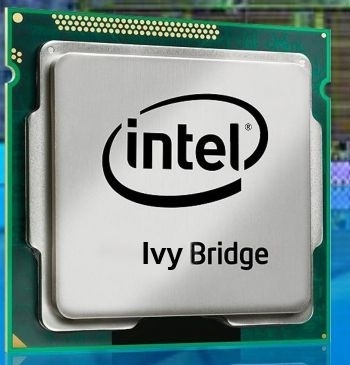
      BridgeHelper 3.0 - Enhanced 10.7.3 Kernel for Ivy Bridge CPUs

      This week, Intel announced and released it's next generation of Socket 1155 CPUs, codenamed Ivy Bridge. As part of Apple's commitment to Open Source, they make the kernel source available via opensource.apple.com. MacMan has added support for these new CPUs to xnu-1699.24.23 (AKA the 11.3.0 Darwin kernel shipped in OS X 10.7.3) and we're happy to announce it's release.

      BridgeHelper 3.0 will replace your 10.7.3 system kernel with MacMan's 10.7.3 Darwin kernel with Ivy Bridge CPU support. The installer is now available at tonymacx86.com/downloads.

      PLEASE NOTE:  Ivy Bridge CPUs and chipsets are not currently supported natively by Mac OS X. We can't recommend Ivy Bridge systems yet, as there is no official support. Hence, please don't view this as buying advice. We don't recommend using a patched kernel for the long-term. The vanilla kernel is a much more desirable solution for a stable system.

      For discussions on this and other topics, register today at tonymacx86.com!

      UniBeast 1.2 Update


      Today UniBeast has been updated to 1.2. The latest version is available for download at tonymacx86.com/downloads.

      Please do not upload or redistribute UniBeast to any other sites.  

      Full list of changes:
      • Updated Chimera to v1.9.1
      If this utility has helped you, please consider a contribution to support further UniBeast development.  Thanks in advance, and enjoy!
      UniBeast: Install Mac OS X Lion Using an All-In-One Bootable USB Drive
      For discussions on this and other topics, register today at tonymacx86.com!